

SmartBooster
The versatile utility app
- Utilities
- iOS 17.0+
- 8 languages
Here’s what SmartBooster does
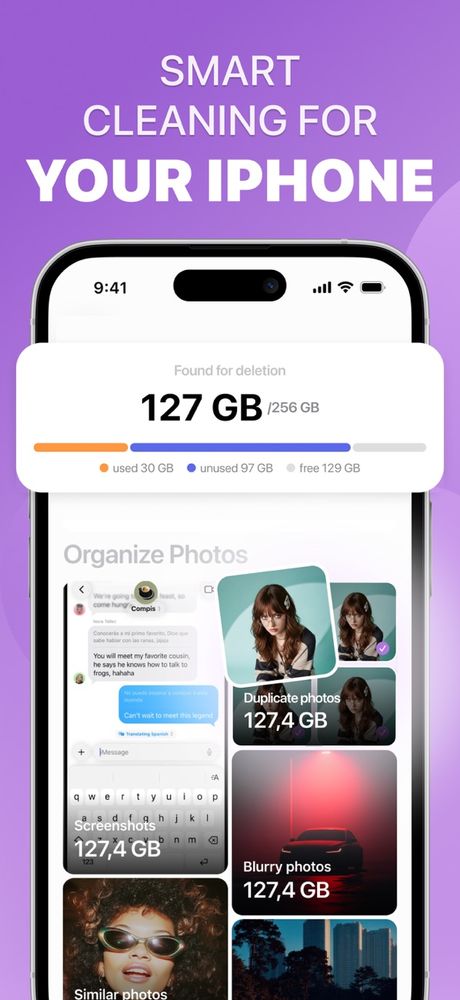
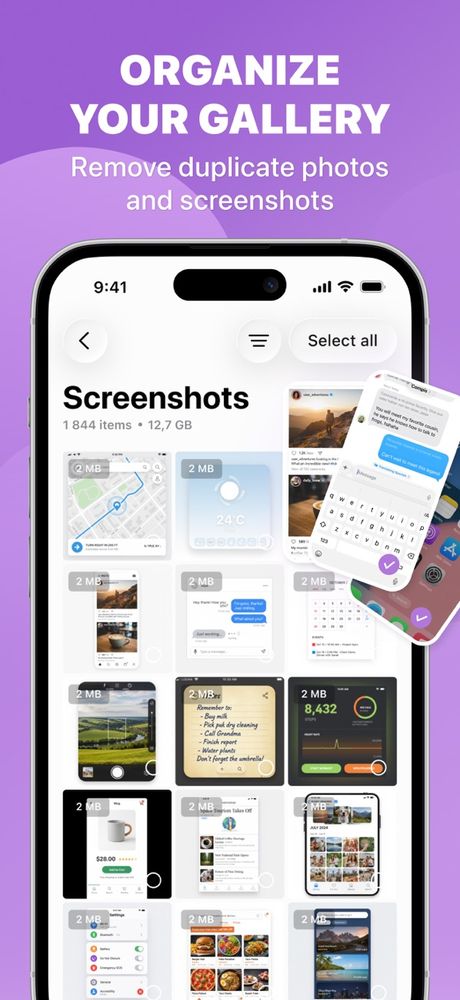
SmartBooster is for when your iPhone keeps nagging you that storage is full. It goes through your photo library looking for duplicates, look-alike shots, screenshots and blurry pictures, and groups them so you can clear the clutter in a few taps.
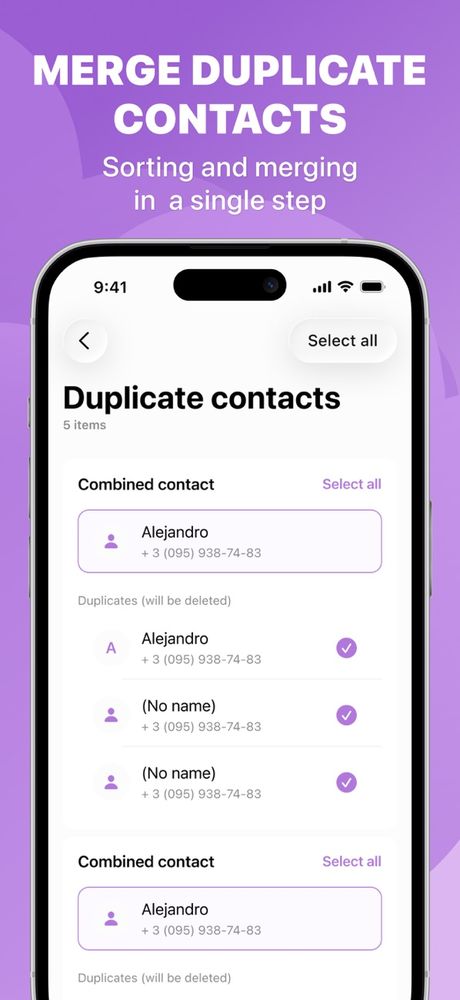
Your contacts get the same treatment: duplicates are found and merged into one. Big videos can be compressed to take up less room, a favorite photo can be sharpened to a higher resolution, and a private list keeps chosen contacts out of sight.
- Photo cleanup Duplicates, look-alikes, screenshots and blurry shots, grouped and ready for review.
- Contact merge Combine duplicate contacts and clear out old entries.
- Video compression Shrink big videos to free up storage.
- Photo enhancement Sharpen a picture and bump up its resolution.
- Secret contacts Keep sensitive contacts in a hidden, protected list.
You always get the final say. iOS checks with you before any photo goes, and removed photos wait in Recently Deleted for 30 days in case you change your mind.
Quick facts
- Made by
- GOLARIX LLC doo
- App Store shelf
- Utilities
- Runs on
- iPhone · iOS 17.0 and newer
- Speaks
- English · Spanish · French · German · Italian · Chinese · Japanese · Korean
- Paying
- Optional in-app purchases through your Apple ID
The fine print
Take a look
Stopping or changing your plan
SmartBooster Premium is an in-app purchase sold through the App Store and billed to your Apple ID. Plans renew on their own until you switch them off. Here’s how:
- Open Settings, tap your name, then Subscriptions.
- Find SmartBooster in the list.
- Tap Cancel Subscription.
Do it a day or more before your plan renews so you won’t be billed again. Heads-up: removing the app from your phone won’t stop the subscription. Want a refund? That’s Apple’s call, so ask at reportaproblem.apple.com.