

PulseSense: Heart Tracker
Pulse & Blood Sugar Tracker
- Health & Fitness
- iOS 17.0+
- 10 languages
Here’s what PulseSense does
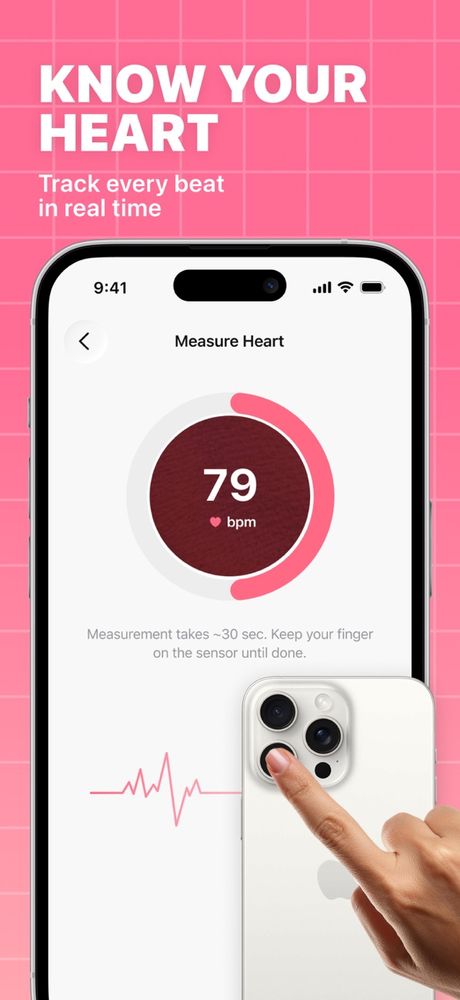
PulseSense turns your iPhone’s camera into a pocket pulse checker. Rest a fingertip over the back lens, hold still for about 30 seconds, and the app estimates your heart rate from tiny color changes as blood moves under your skin.
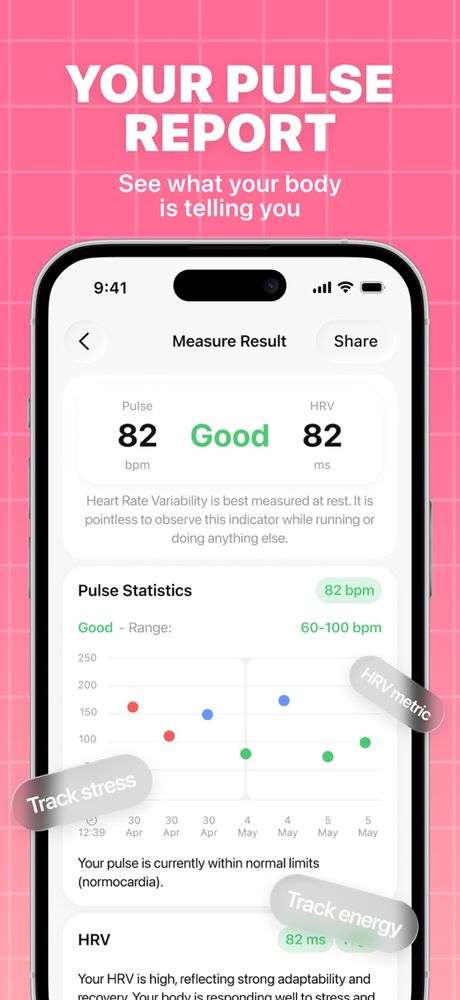
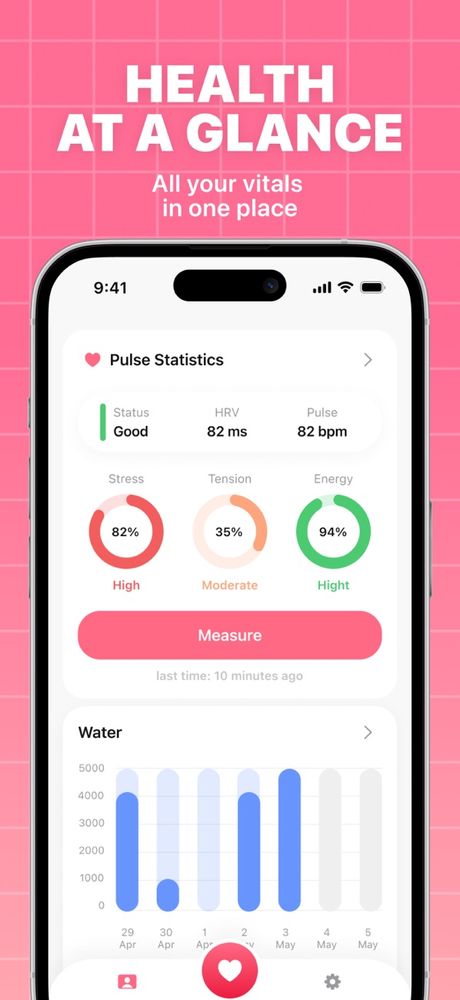
Every reading gets saved, so you can scroll back and see how your pulse shifts from day to day. You can also jot down blood sugar and blood pressure numbers from your own meter, add a quick note about how you felt, and see it all on simple charts.
- Pulse with your camera Get a heart rate reading in about 30 seconds, no extra gadgets.
- Sugar and pressure log Type in numbers from your own meter and keep them all together.
- History and charts Scroll back through past readings and spot trends over time.
- Notes Add a few words to any entry so you’ll remember what was going on.
Think of PulseSense as a wellness diary, not a medical device. It can’t diagnose anything, and it doesn’t measure blood sugar or blood pressure: you type those in from your own meter. Our Medical Disclaimer has the details.
Quick facts
- Made by
- GOLARIX LLC doo
- App Store shelf
- Health & Fitness
- Runs on
- iPhone · iOS 17.0 and newer
- Speaks
- English · Spanish · Portuguese · French · German · Italian · Malay · Chinese · Japanese · Korean
- Paying
- Optional in-app purchases through your Apple ID
The fine print
Take a look
Stopping or changing your plan
PulseSense Premium is an in-app purchase sold through the App Store and billed to your Apple ID. Plans renew on their own until you switch them off. Here’s how:
- Open Settings, tap your name, then Subscriptions.
- Find PulseSense in the list.
- Tap Cancel Subscription.
Do it a day or more before your plan renews so you won’t be billed again. Heads-up: removing the app from your phone won’t stop the subscription. Want a refund? That’s Apple’s call, so ask at reportaproblem.apple.com.